Jobbox.
Elevating JobBox: Streamlining Job Tracking & Updates
My Role
Explored, built, and validated solutions
Timeline
Feb – Mar 2025 (4 weeks)
Impact
Achieved 92% task success rate and 4.7/5 user satisfaction after two rounds of usability testing.
/01 JOBBOX TODAY
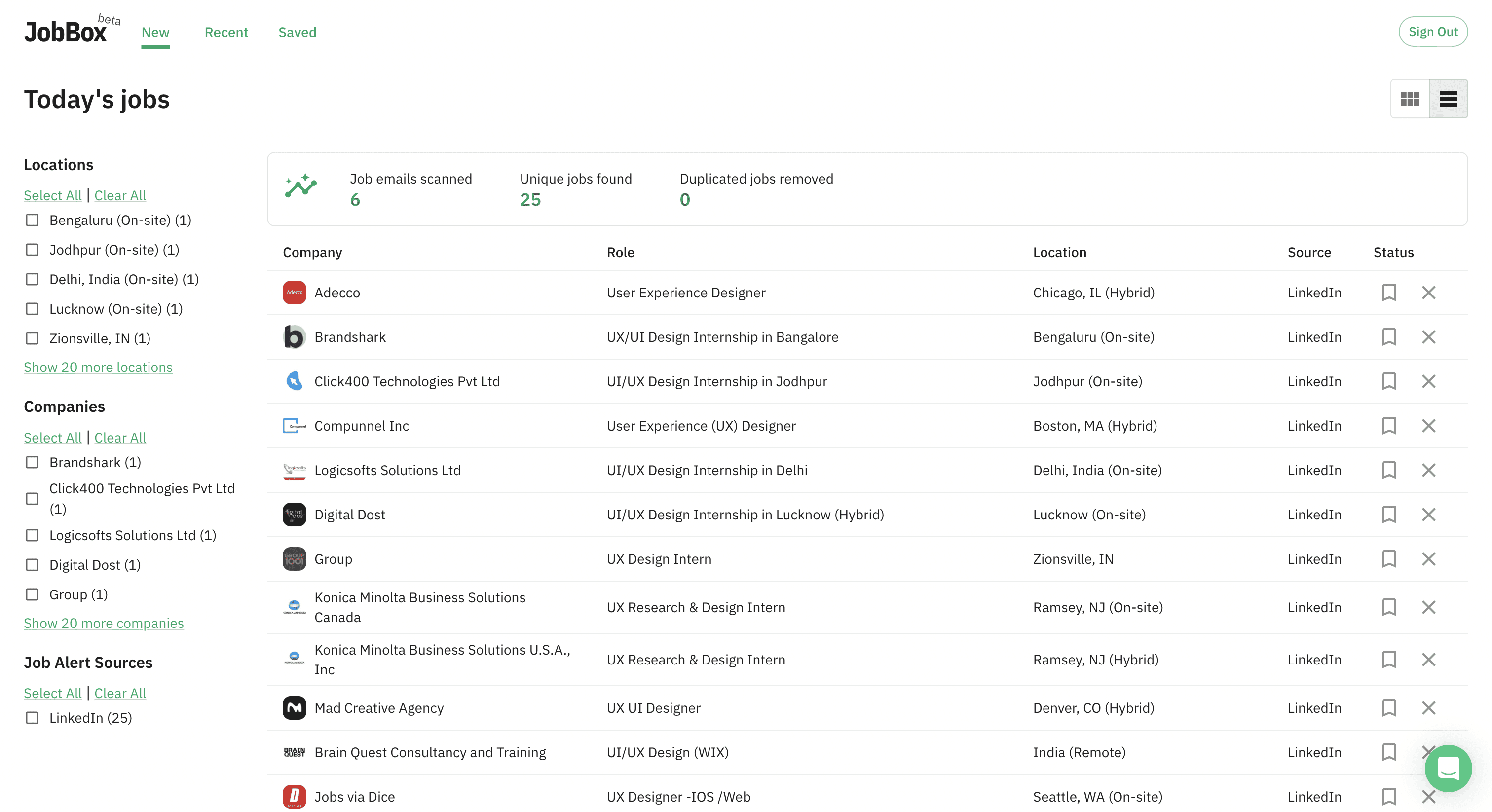
A Job Inbox—But Is That Enough?
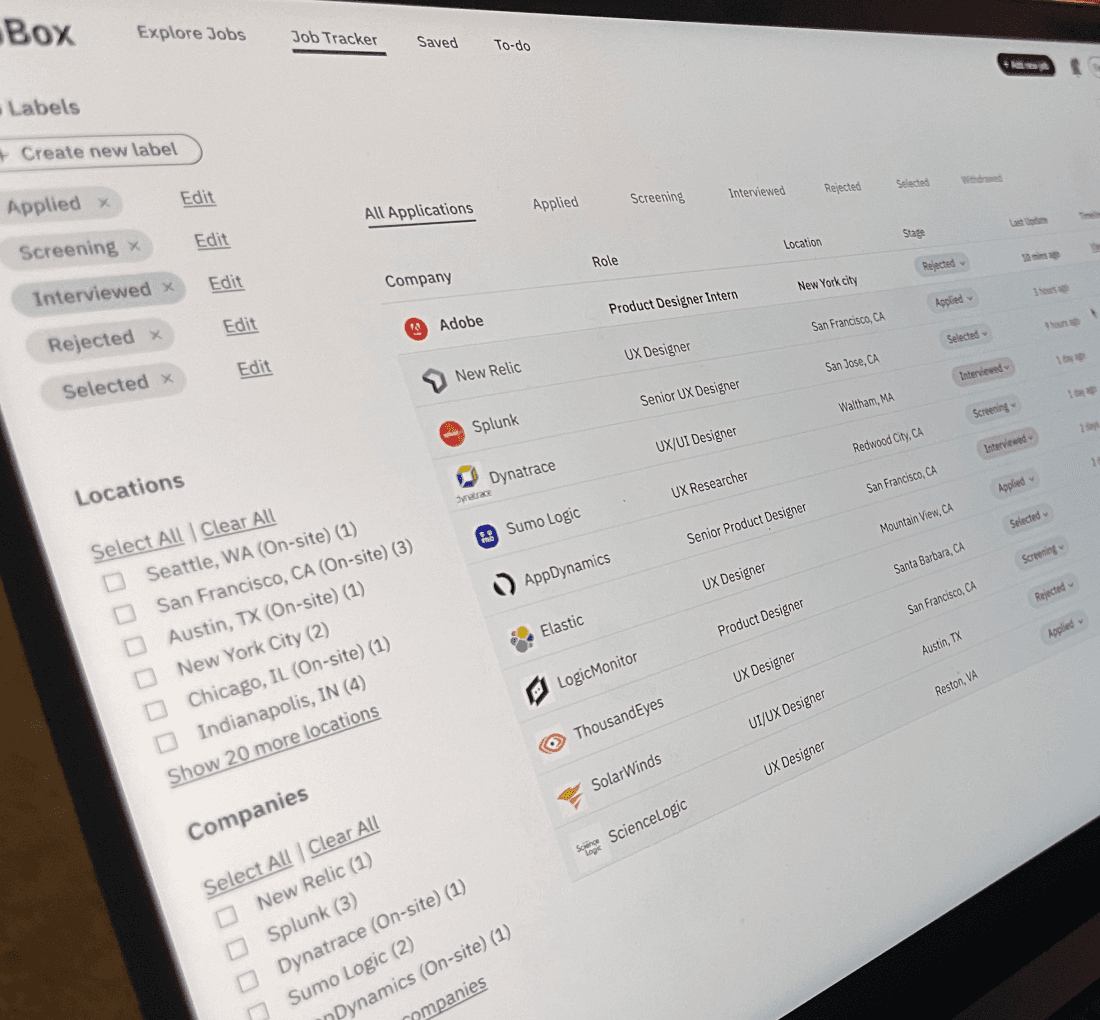
Job seekers face an endless maze of applications, interviews, and follow-ups. Even though multiple platforms already provide job alerts, most people still fall back on spreadsheets, notes, or memory to track progress — because those tools feel limited, rigid, or overwhelming.
JobBox set out to centralize job alerts by pulling them directly from Gmail. But at its core, it was still just an inbox.
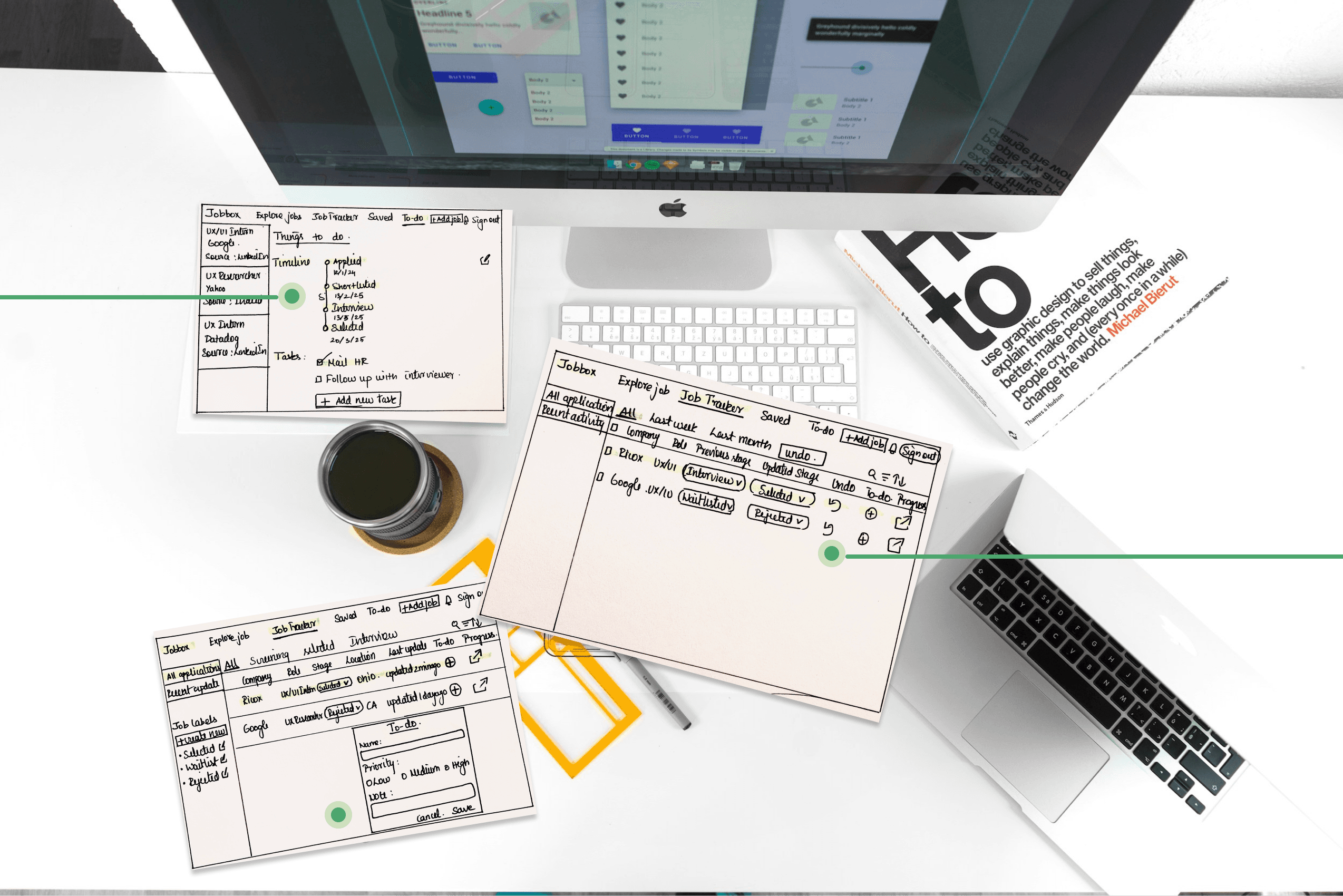
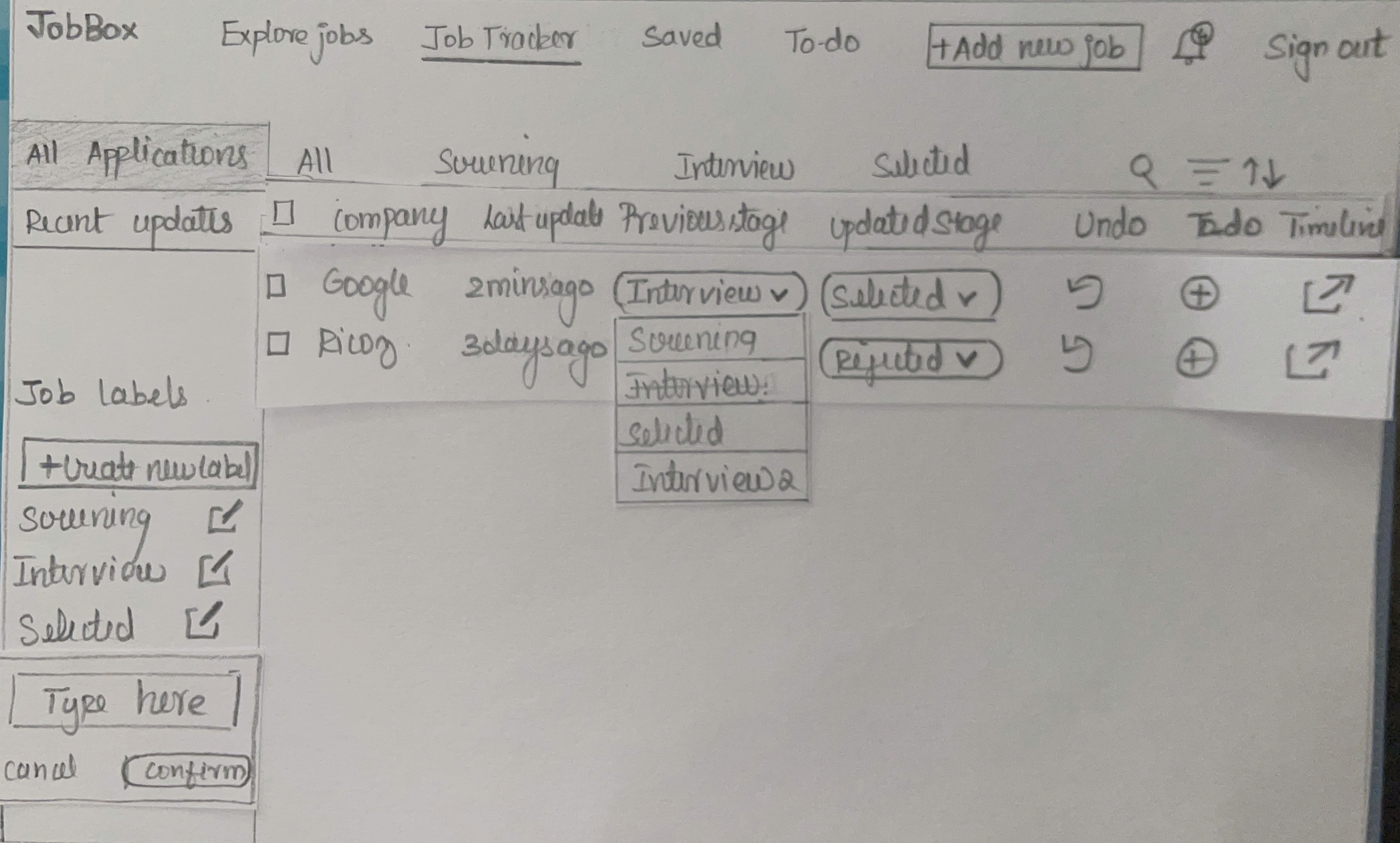
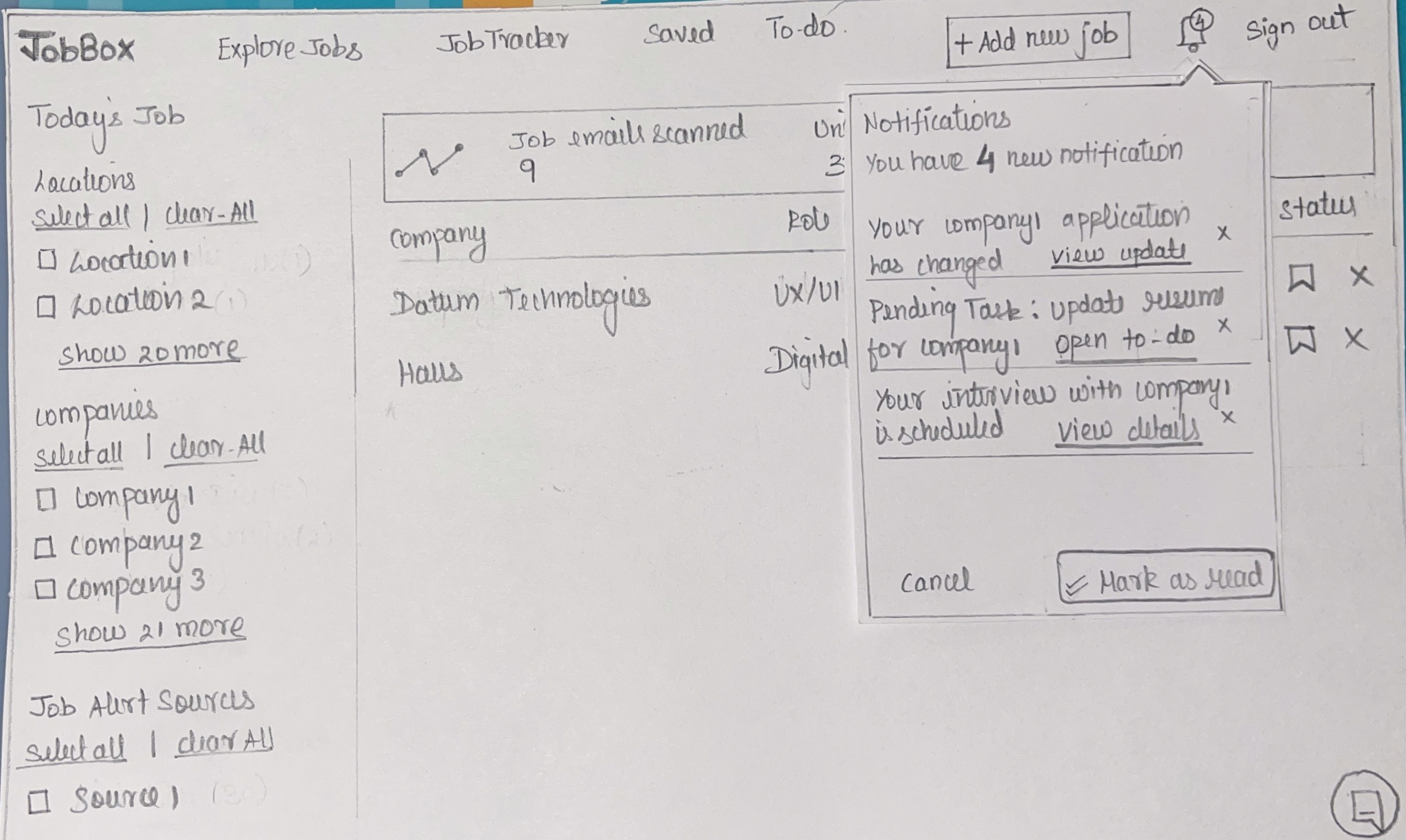
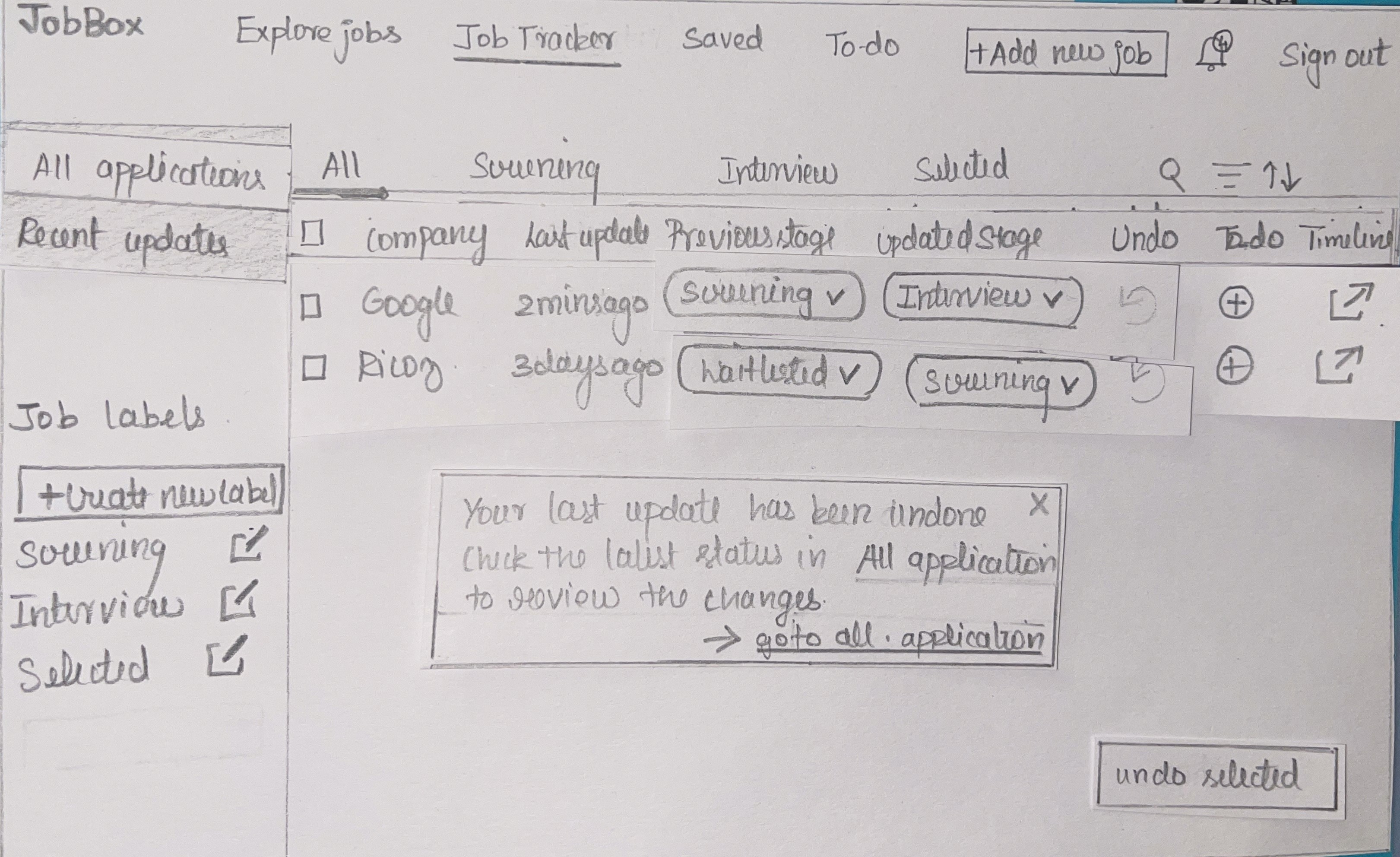
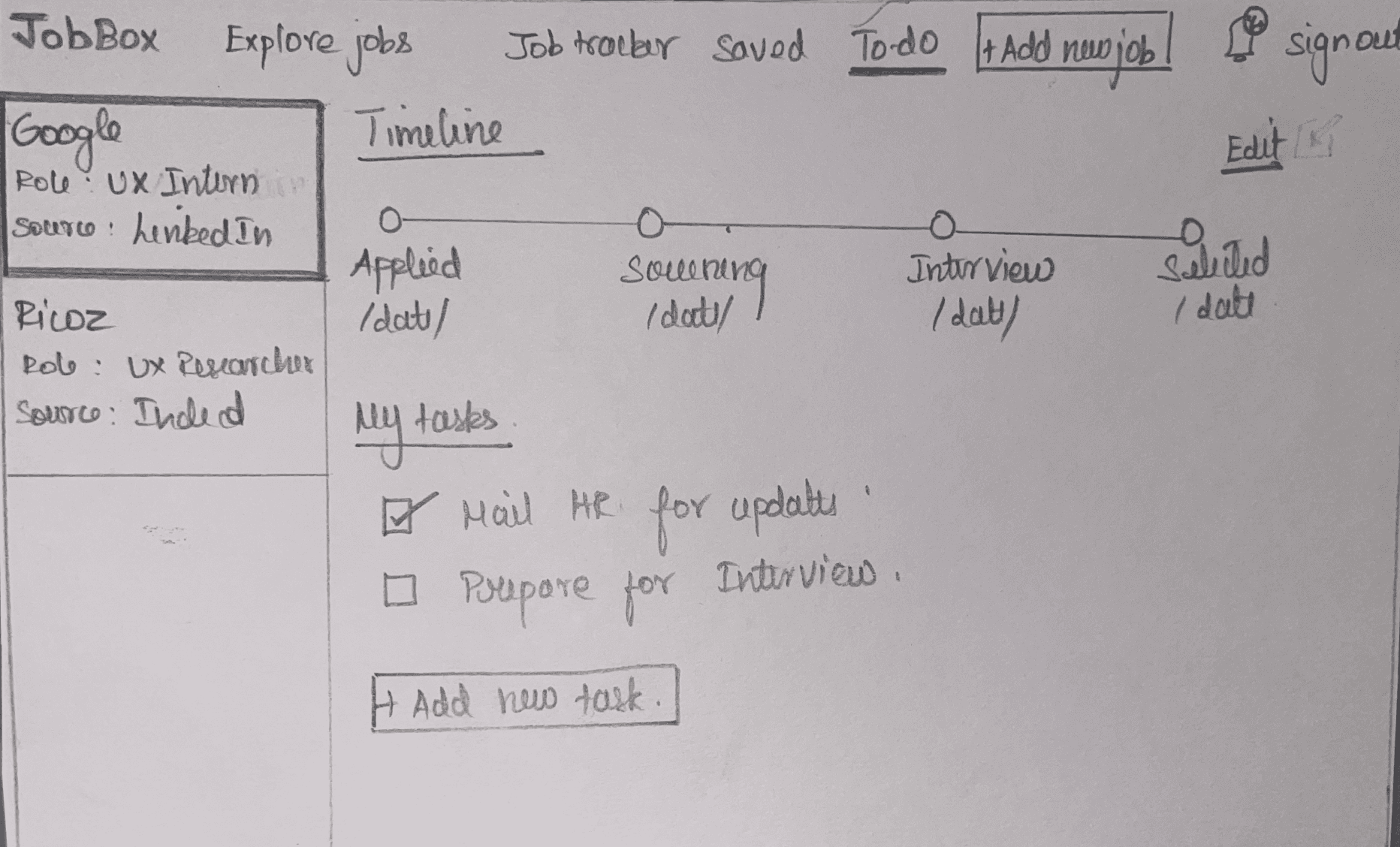
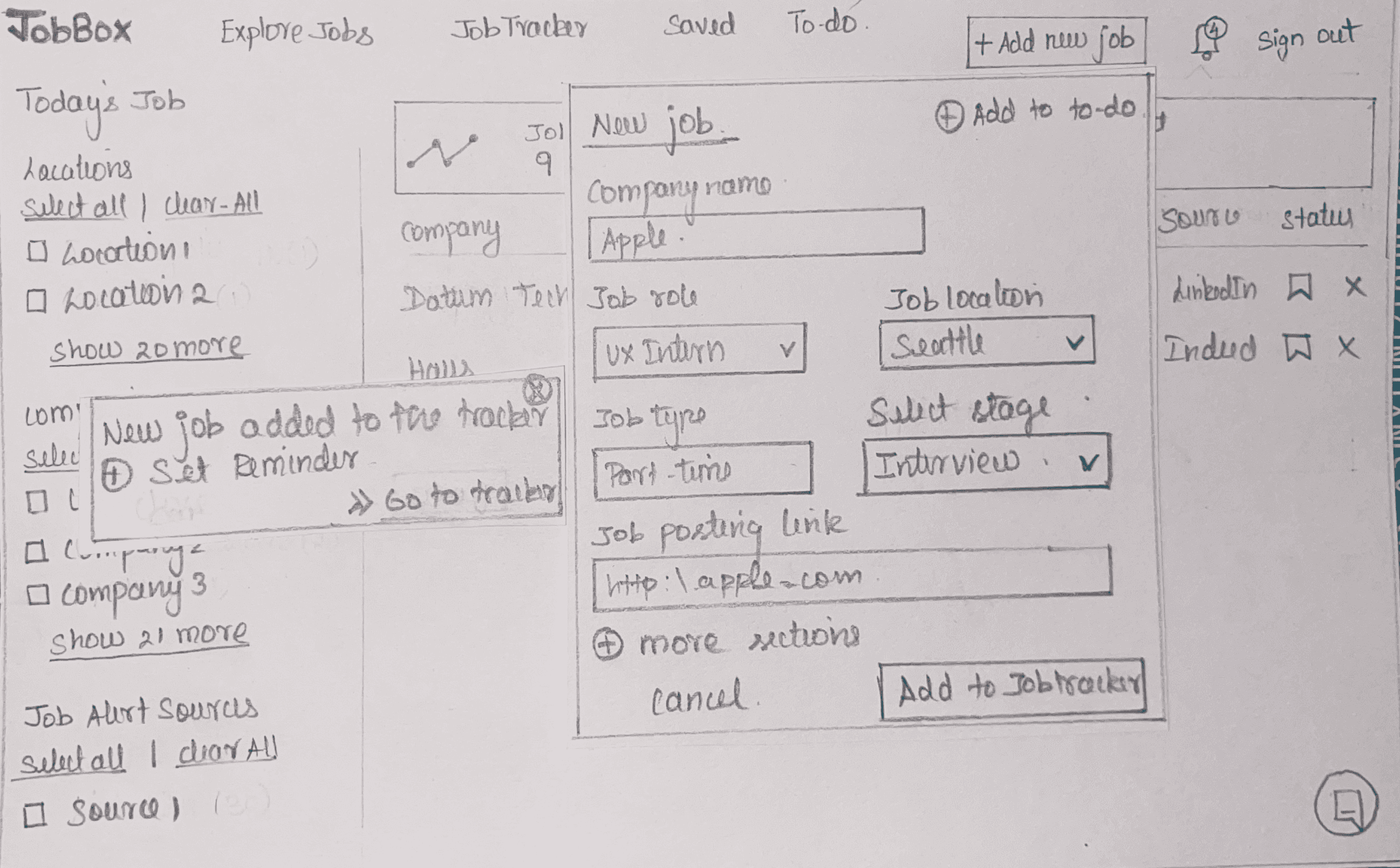
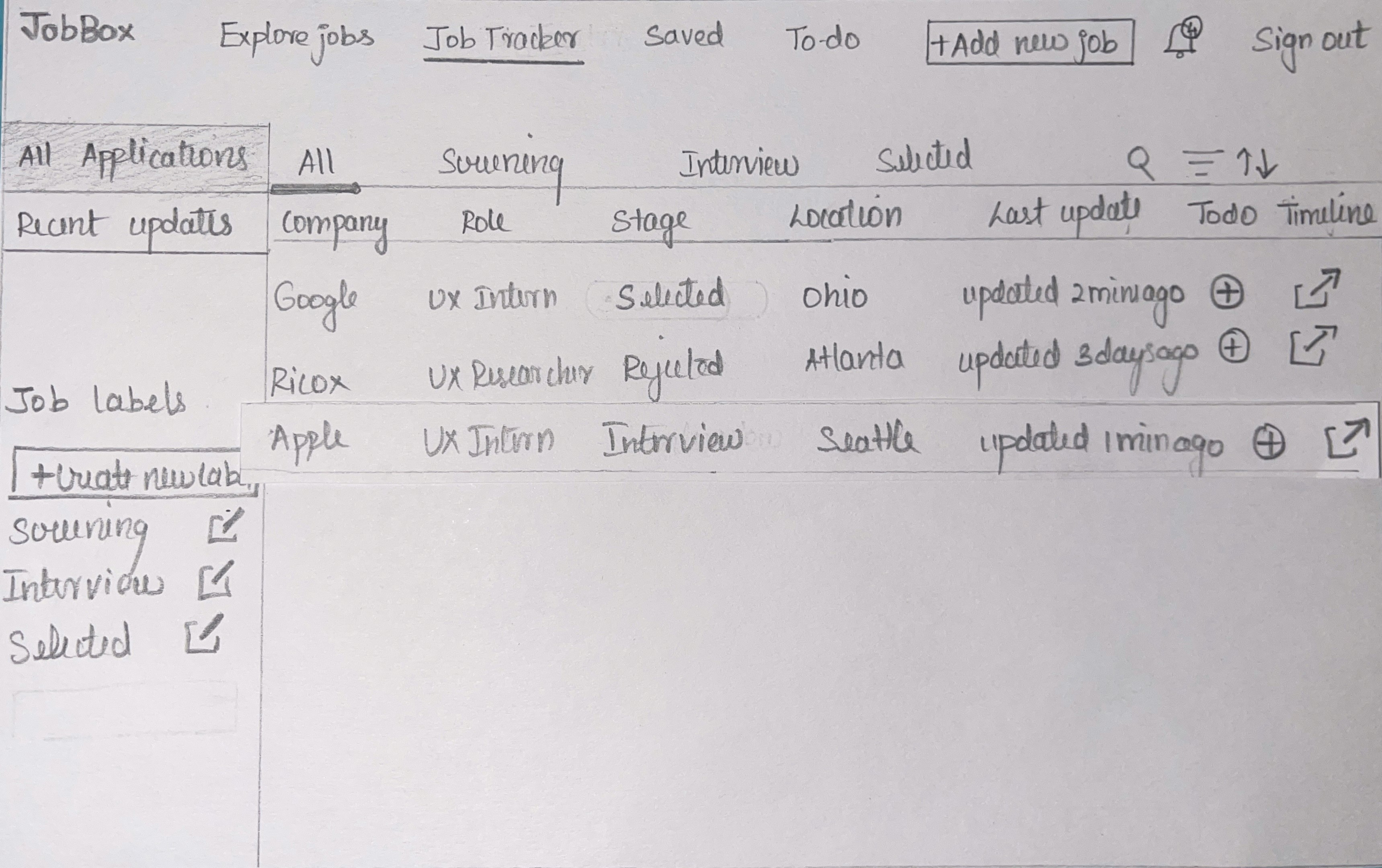
The first round of sketches wasn’t about aesthetics. It was about mapping out the essential interactions users needed most. Each wireframe captured one thing: undoing an incorrect update, logging a new job, or adding tasks without friction.
The goal was simple: to see how these raw flows would feel in action before committing to digital design. By mapping out the placement of stages, notifications, and to-do tasks, I could test whether users understood the interactions at a glance. These sketches became the foundation for early usability tests and revealed which elements would later need refinement.
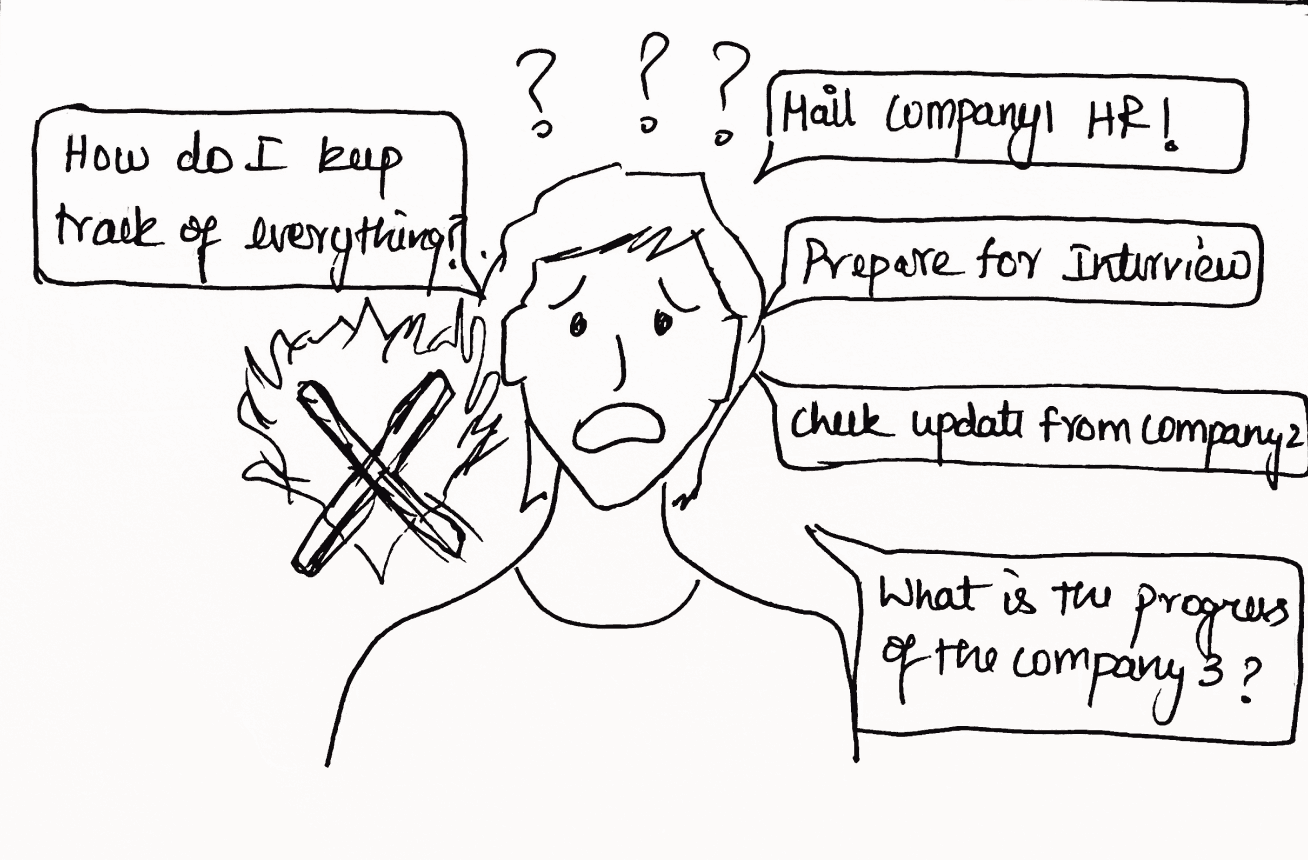
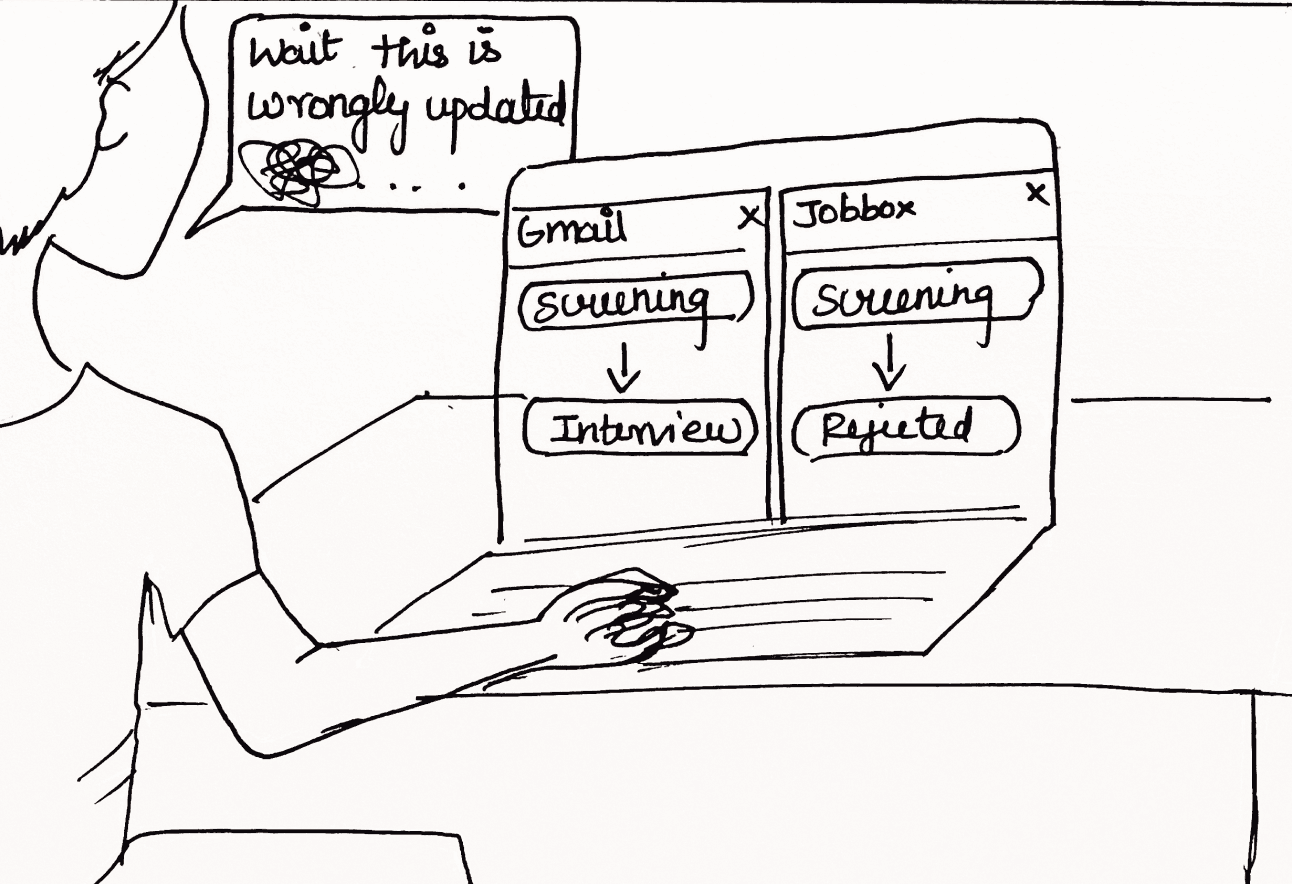
The storyboard captures the journey of a job seeker overwhelmed by messy job emails and unclear progress updates. At first, he’s frustrated—updates land incorrectly (a screening round wrongly marked as rejected) and he feels helpless. With a single undo action, he regains control, correcting the mistake instantly.
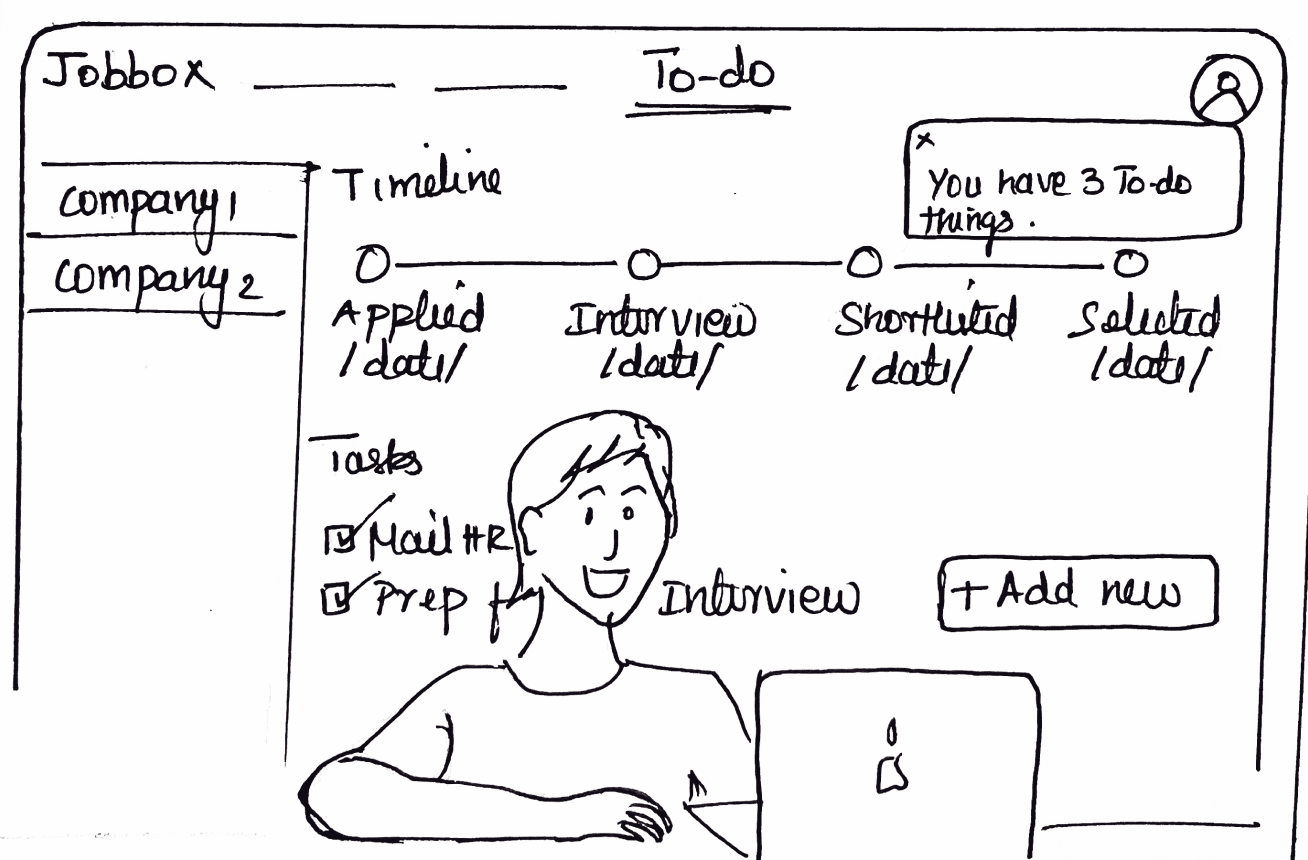
Yet another challenge arises: the endless follow-ups—charts to make, interviews to prepare for, emails to check. The disorganization builds until he finds relief in the dedicated To-Do section. Here, reminders and tasks are tied to each job application, giving him one clear place to track what’s next.
/02 PROBLEM STATEMENT ( Revealed by users )
/03 DESIGNING FOR PROGRESS
/04 FIRST DRAFTS
/05 STORY IN FRAMES
The biggest gap wasn’t finding jobs—it was managing them
From static inbox → to adaptive tracker
Exploring flows through quick sketches
Sketching the user’s journey step by step
JobBox
From the usability testing sessions, a clear pattern emerged:

“I don’t see a way to track progress after applying. I still need my spreadsheet”

“If I want to know my stage, I have to update it all myself. That feels like extra work.”

“The hiring process isn’t the same everywhere — JobBox feels too rigid to capture that”
❌ No system for structured application tracking
❌ Missing visibility of stage progression and updates
❌ Manual updates increase redundancy and errors
❌ Insufficient support for user-driven interface customization
📂
Right now, users lose track of “where they stand” in the process. By introducing a structured way of logging progress, we can bring clarity and reduce the confusion of juggling multiple applications.
Establishing Structured Application Tracking
⚡
Manually updating every stage is tiring and error-prone. Simplifying how progress gets reflected can ease that burden while still giving users confidence that their records are accurate.
Automating Status Synchronization with Control
🎨
A rigid interface doesn’t work for everyone. Allowing people to shape their view with personalization ensures the platform adapts to diverse job search journeys instead of forcing a single path.
Advancing Personalized Navigation and Workflow
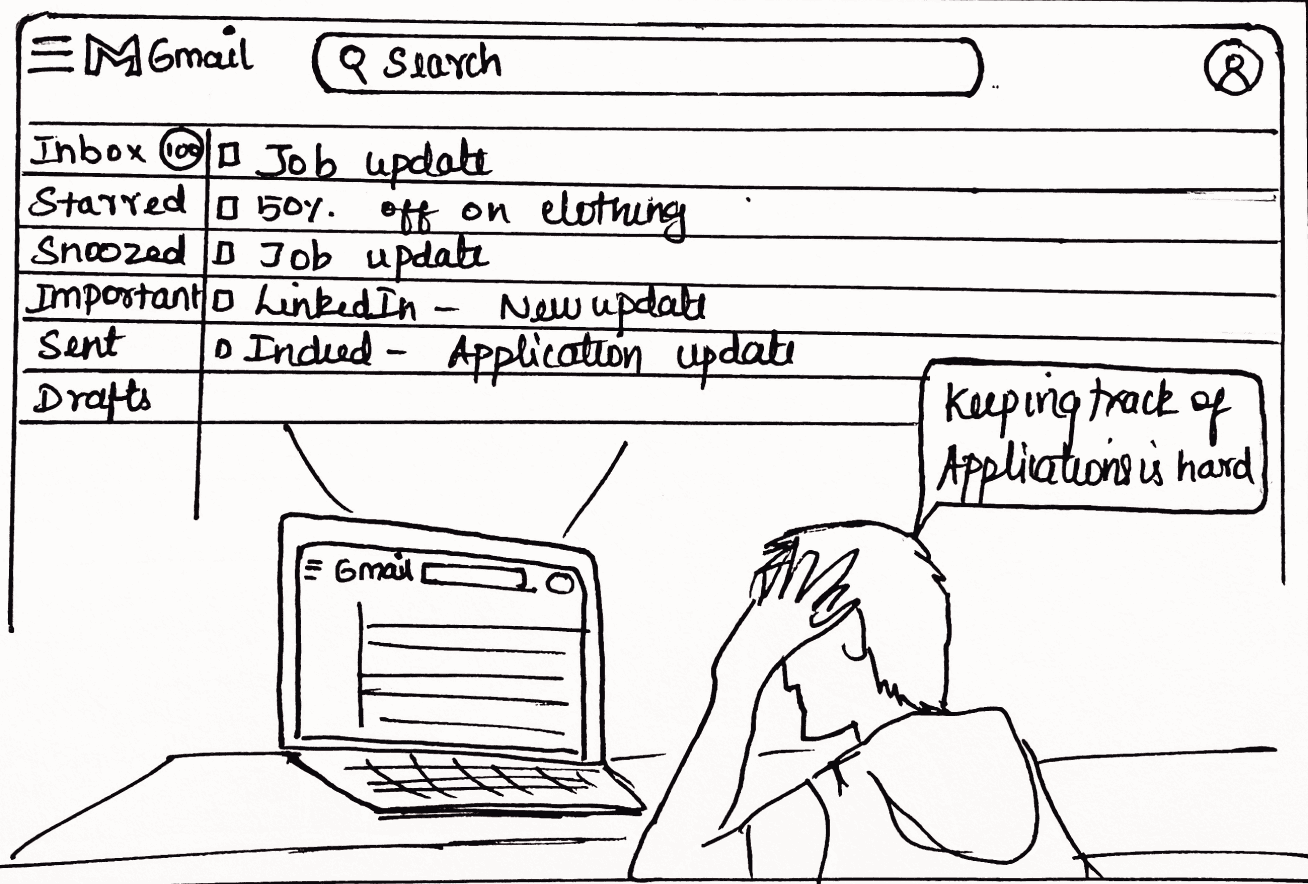
Scene 1: Inbox Chaos
Keeping track of application is hard!!
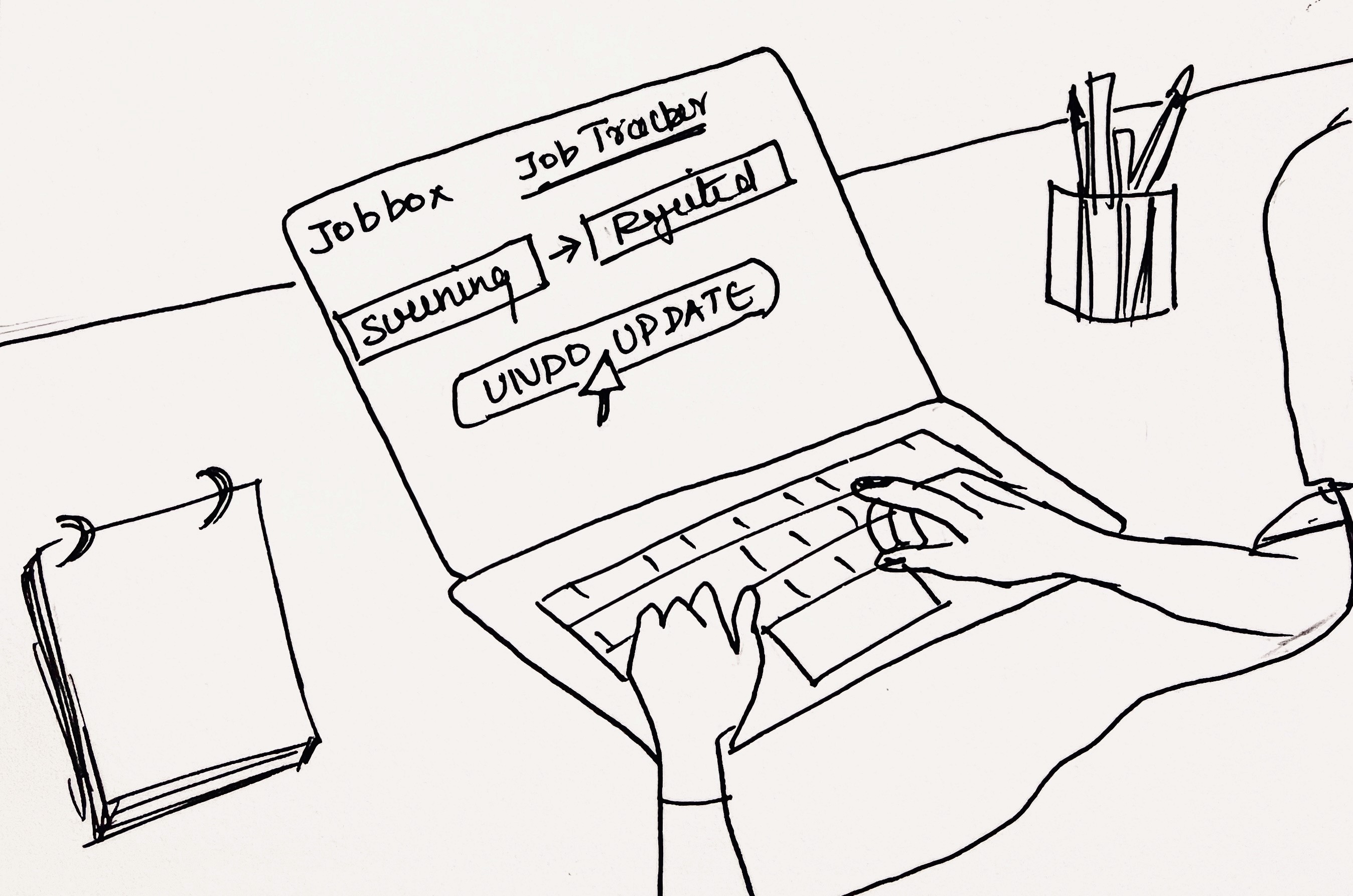
Scene 4: Undo Fix
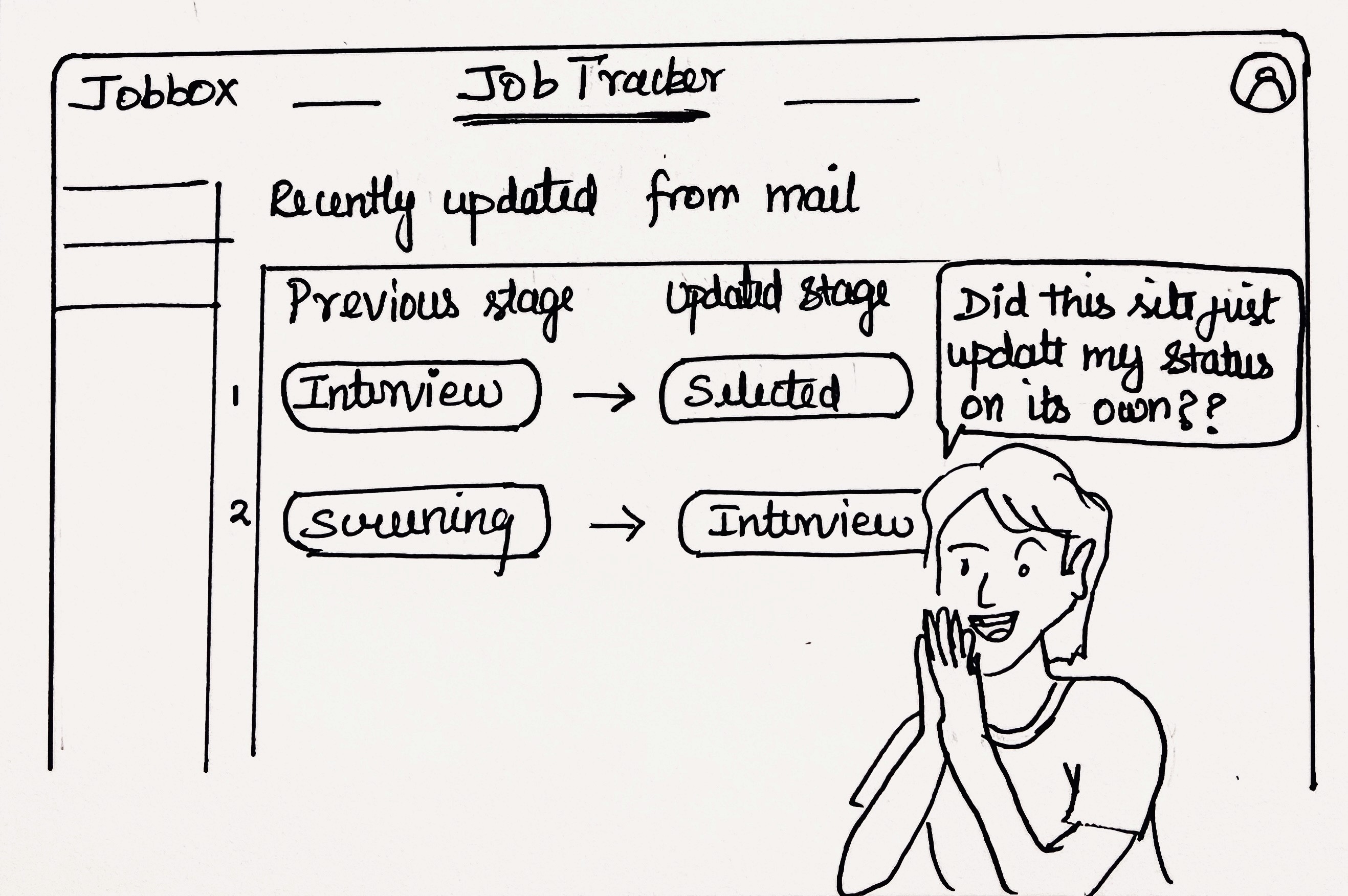
Scene 2: JobBox Relief
Did this site just update my status on its own?
Scene 5: Task Overload
What is the progress of company 3? How to I see the dates?
Check update from company 2!
Prepare for interviews!
Mail company HR
Scene 3: Wrong Update
Wait... this is wrongly updated!
Ummm....
Scene 3: To-Do Solution
Undo Action Integrated Within Stage Flow
Dedicated To-Do Module Decoupled from Tracker
Configurable Label Dropdown for Flexible Categorization
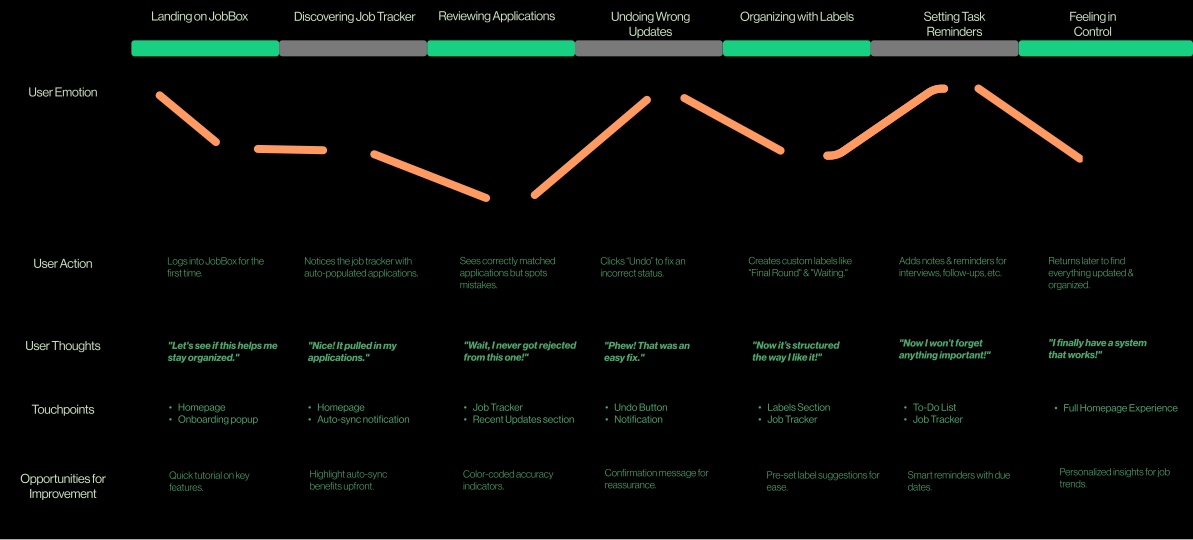
Instead of guessing where the system fails, the most effective path is to step into Alex’s shoes. By tracing his frustrations, mismatched updates, and missing reminders, the journey map reveals what no spreadsheet or email thread can: how real users experience the flow?
This isn’t just documentation, it’s a diagnostic tool. Mapping Alex’s actions, emotions, and obstacles gives us evidence-backed insights into where the design breaks down and shows us where targeted interventions can reshape the experience.
To capture this disconnect, I mapped his actual experience step by step.
This journey map transforms Alex’s frustrations into evidence-backed insights, showing where the flow breaks down, and more importantly, where design can intervene to restore control.
/06 MAPPING ALEX
/07 CONTEXT OF DESIGN
/05 TESTING PLAN & METHODOLOGY
What We Learned
What We Learned
The better way to uncover pain points and design gaps
Research pointed us here; now these are the changes JobBox needs.
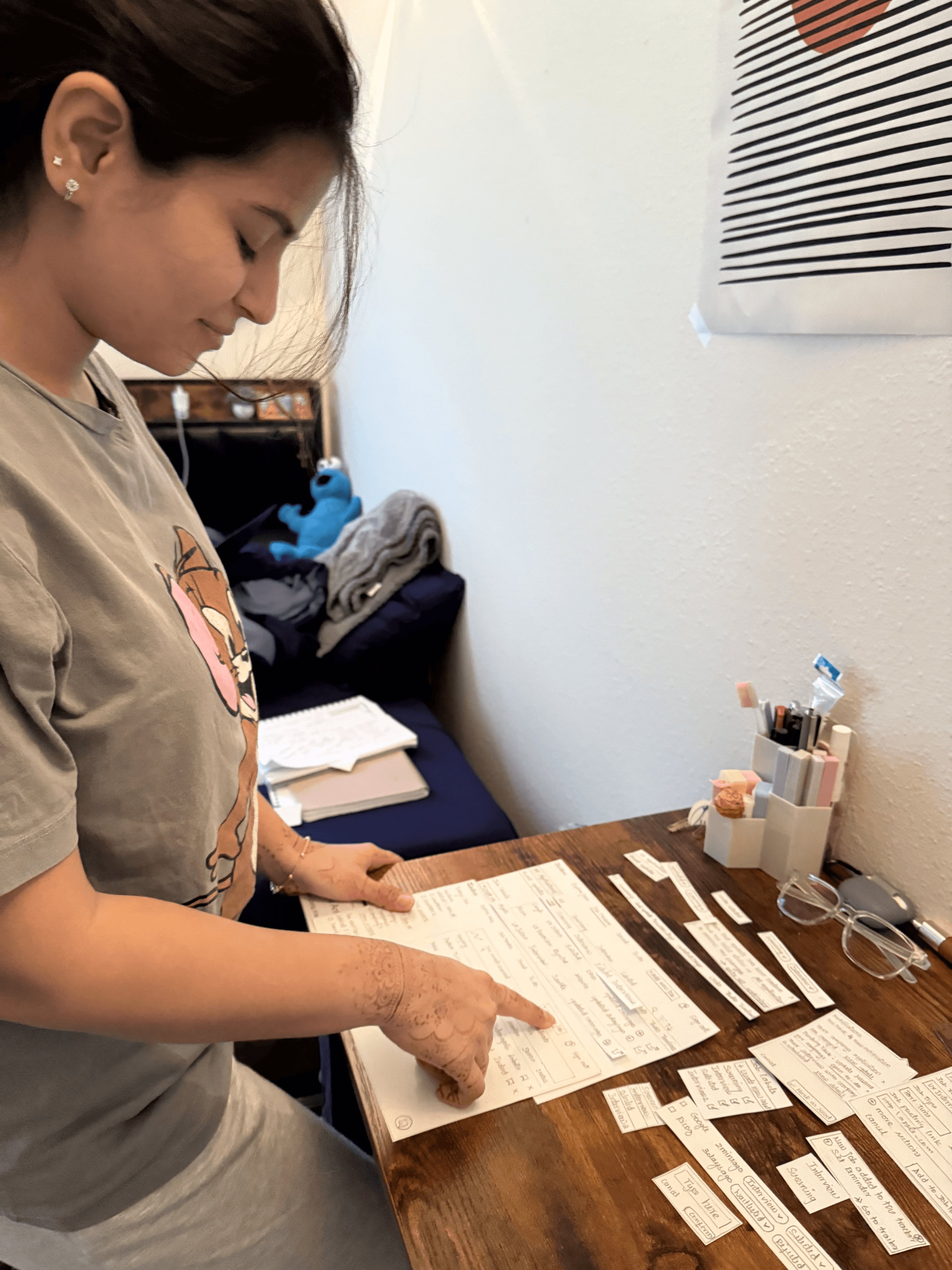
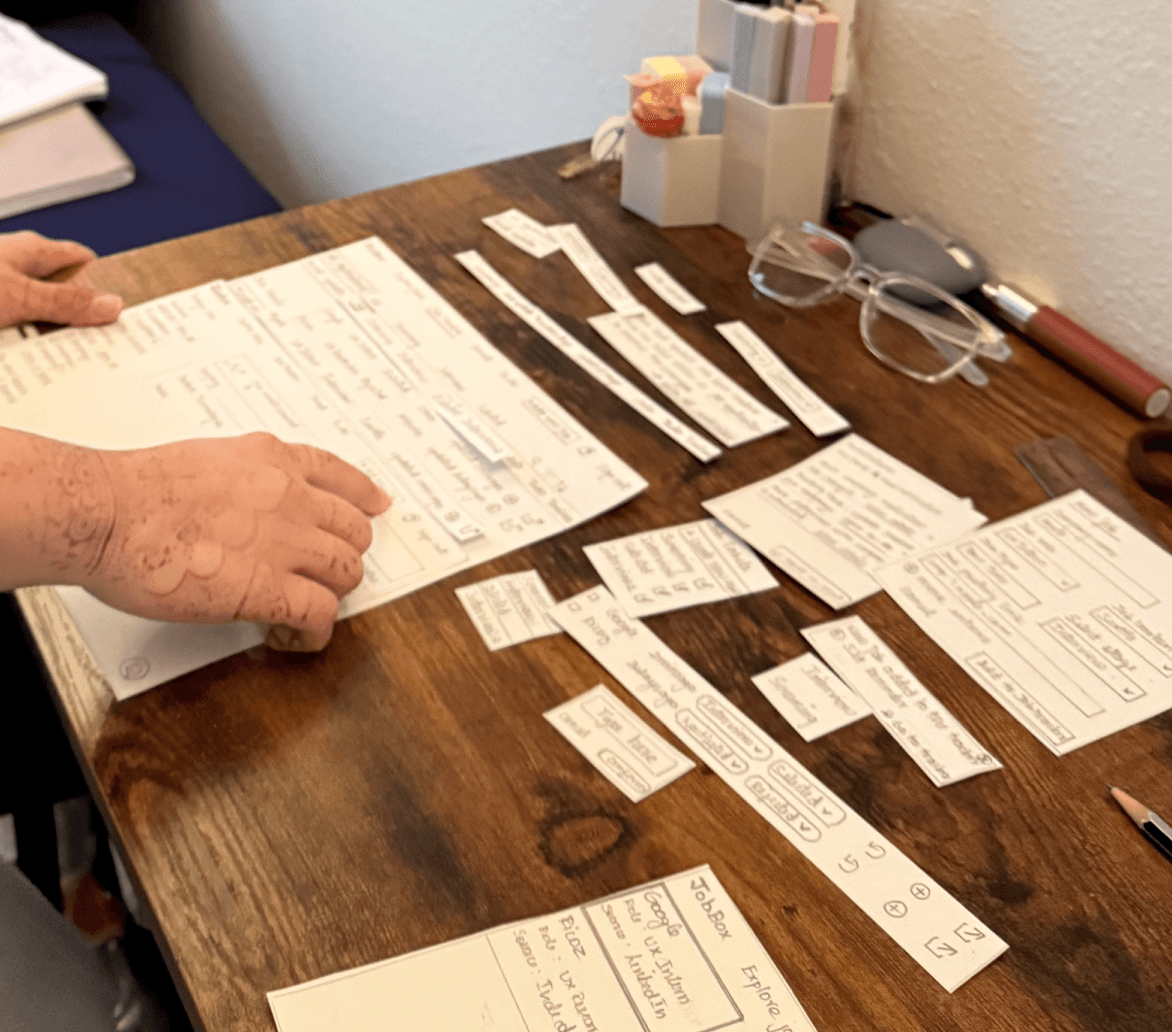
Phase 1: Initial User Testing with Paper Wireframes
Stay motivated and confident while navigating the uncertainty of job applications.
Job updates don’t reflect reality, leaving him second-guessing where he stands.
Missed follow-ups and preparation tasks create unnecessary stress.
Reduce stress by making the process feel structured and less overwhelming.
Spreadsheets and scattered notes make the process harder than it should be.
Gain clarity on progress and next steps without losing focus.

ALEX 🎒, a data science student, recent graduate who is eager to start his career.
What Alex Expects
What He Gets
☺️
😄
🧐
🤞
😫
😌
💪
😄
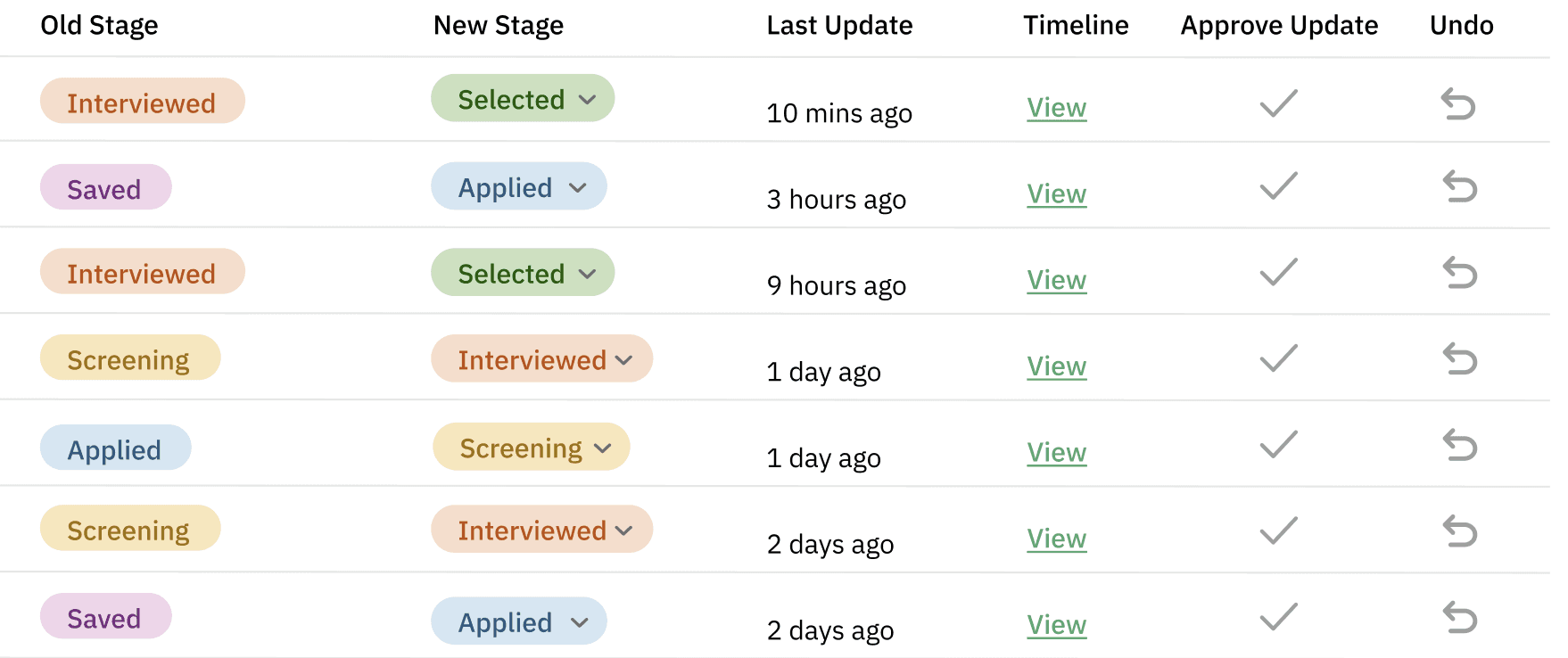
Event-Driven Status Updates
Maintain data integrity through controlled verification.
The system employs automated stage parsing from structured/unstructured email data, surfacing status transitions (e.g., “Screening → Interview”). Users are presented with actionable controls:
👍 Approve → Commits the parsed transition to the persistent state log.
↩ Undo → Rolls back erroneous updates and restores the last validated state.
This ensures high-fidelity tracking while preserving user agency in conflict resolution.

Integrated Task Management Hub
Reduce cognitive load with contextual task binding.
Each application instance exposes a dedicated task container with CRUD operations (create, read, update, delete) for reminders, follow-ups, and preparatory tasks. Tasks are synced into a unified to-do module, enabling cross-application visibility. The result: eliminates fragmentation across external note-taking tools and supports time-bound prioritization.
Edit
Follow Up with Hiring Manager
Send a follow-up email to confirm next steps after your screening round. Mention your availability for interviews.
Due: Today
Mark as complete

New Task
Manual Job Entry Workflow
Ensure completeness beyond automated ingestion.
Recognizing that not all applications originate via Gmail ingestion, the platform allows manual record instantiation. Users can input company metadata, role attributes, source identifiers, and stage assignments directly into the normalized schema. This enables holistic tracking across both automated and offline entry points, guaranteeing that the dataset remains comprehensive and queryable.
🔔 Job Added Successfully!
UX Researcher at Ahold Delhaize USA has been successfully added to your Manage Updates.

🔔
New Job
Just fill in the details, and we’ll keep track for you.
Company name
Job posting link
Job role
Job type
Job source
Job location
Select stage
Ahold Delhaize USA
UX Researcher
Part-time
https://www.linkedin.com/in/shwethabertilla12092000/
Chicago, IL
Applied
Cancel
Add
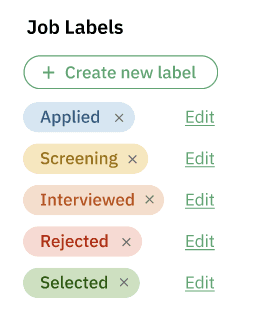
Custom Labels & Timeline Mapping
Adapt workflows to non-linear hiring processes.
Users can construct custom state nodes (e.g., “Interview 2,” “HR Screening”) and bind them into the stage transition model. In parallel, a timeline renderer visualizes the temporal flow of status changes, annotated with timestamps and state metadata. This gives users detailed control over each step while also offering a clear, big-picture view of their job search progress.
Job seekers actively applying for multiple roles.
Career switchers managing various applications.
Recent grads tracking interview progress.
Are users able to navigate intuitively?
Do users understand how tracking works?
Where do they hesitate or get stuck?
👥 Who’s it for?
📝 Key Observation
Phase 1 Usability Evaluation
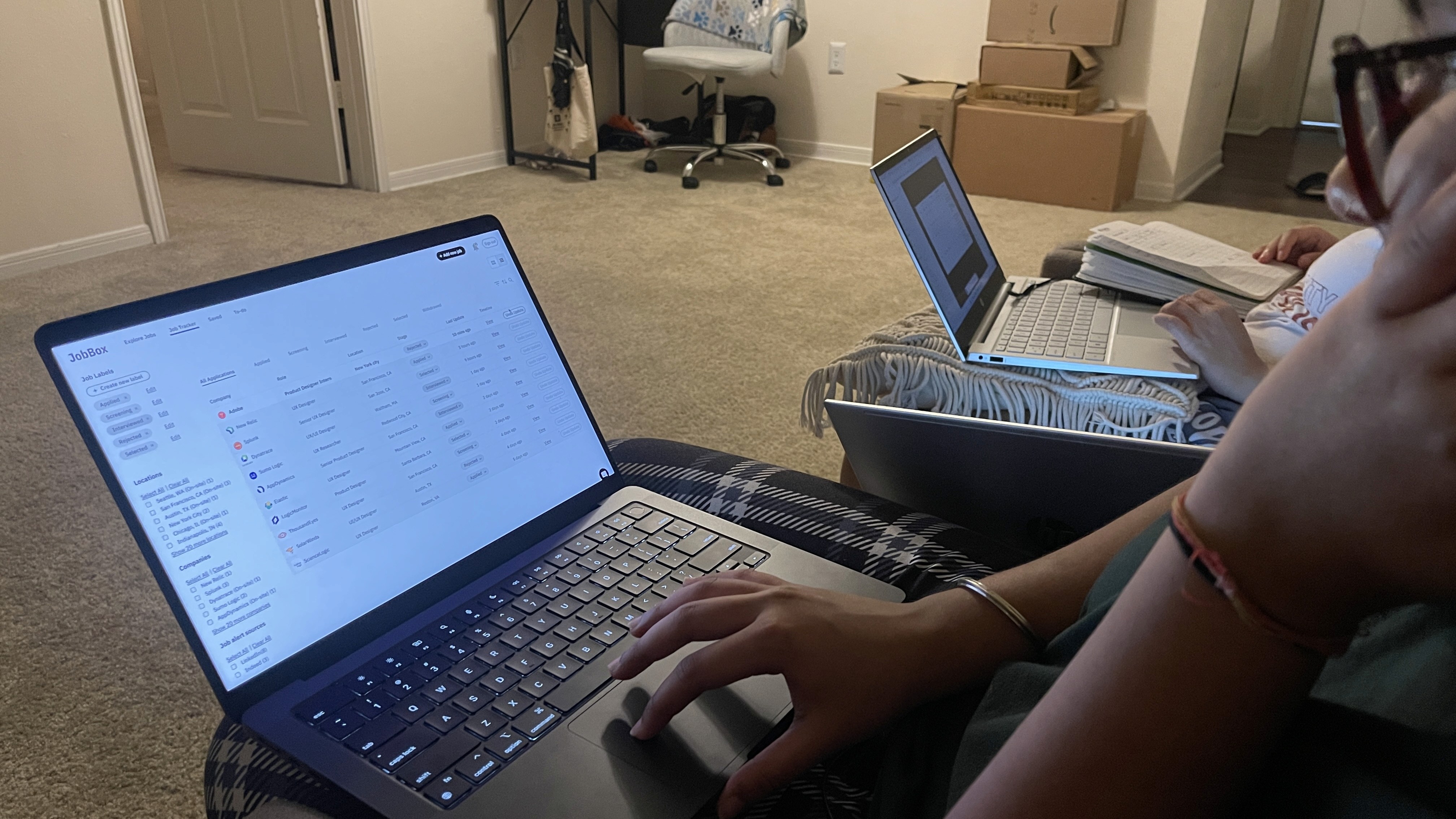
Phase 2 Usability Evaluation
Goal was to evaluate whether navigation is intuitive, users understand the labels and page structure, and if they can complete tasks efficiently without confusion.
After Phase 1 testing, the feedback highlighted pain points such as the scattered Job Tracker layout and confusion around To-Do placement. These insights became the foundation for my mid-fidelity wireframes. By reconnecting with participants, I validated whether the redesigned flows truly reduced friction. Phase 2 testing was then used to confirm improvements and uncover new challenges, ensuring a continuous cycle of refinement.
TASK 1: Update an incorrectly synchronized job stage back to its accurate state.
TASK 2: Add a new job record manually and append a follow-up task to the tracker.
TASK 3: Create a new stage label and reassign an existing job to it.
👍🏼
Users really liked being able to add their own applications into the tracker—it gave them a sense of control beyond what emails provided.
👍🏼
The timeline view made it easy for users to quickly see how their application had progressed over time.
👍🏼
Custom stage labels felt useful, since different companies often follow different recruiting steps.
👍🏼
Custom labels and smooth navigation made it simple for users to organize applications in their own way and move through tasks without confusion.
👎🏼
On the flip side, the Job Tracker being split across two pages made it harder to find the Undo option.
👎🏼
The To-Do section showing up beside every application row caused confusion about where tasks should actually be added.
🧭 Navigation Clarity: 9/10
🧭 Time on task: 30% Faster
⌛ Task Completion Time: 8/10
Type label name here
Add label
Cancel
/09 Redefining JobBox
Through cycles of iteration and usability validation, JobBox’s design reached a point of resolution — no longer a minimal inbox, but an integrated platform shaped by real user behaviors. What began as fragmented tasks and scattered updates was reframed into a cohesive flow, where navigation, clarity, and adaptability converge.
The following redesigned screens represent this shift: not just cosmetic adjustments, but a redefinition of how job seekers interact with their search process — informed by research, grounded in testing, and refined into a seamless experience.
Instant Updates
Real-time notifications surface when an application stage changes.
Approve or Undo
Users validate updates or revert incorrect ones with minimal friction.
Timeline View
Chronological record of application stages ensures visibility and traceability.
#1 Event driven status update
#2 Manual Job Entry WORKFLOW
Custom Job Entry
Users can manually log roles not captured by email sync, entering details like company, title, location, and source.
Turning user struggles into a streamlined experience.
#3 Custom Stage Creation & Application Update
Stage Expansion
Users define additional stages (e.g., Portfolio Review, Final Round) by configuring names, colors, and hierarchy within the tracker.
Dynamic Updates
Applications can be reassigned into these new stages, ensuring the system adapts to unique hiring workflows without breaking consistency.
#4 Custom Stage Creation & Application Update
Job-Specific Tasks
On creation, users assign the relevant stage (e.g., Applied, Interview) as part of the entry process.
Integrated Reminders
These tasks are surfaced as notifications on login, ensuring timely follow-ups.
/10 SCALING FORWARD
This redesign was never about ending with a polished interface — it was about building a foundation for JobBox to grow into a scalable, adaptable platform. By focusing on user-driven insights and iterative testing, the work demonstrates not just UX design skills but product thinking: balancing user needs , business goals , and technical feasibility.
Every solution is a foundation for the next.
🌍 Scalability
Integrate with calendars, recruiters’ dashboards, and career platforms to expand JobBox’s ecosystem.
🔁 Research Loops
Continue usability testing with broader groups (students, mid-career professionals) to validate adaptability.
🤝 Real-World Adoption
Partner with job boards or career centers to pilot JobBox in live environments.
📊 Continuous Improvement
Measure task success rates, time to complete, and satisfaction scores over time to guide new iterations.
JobBox isn’t the end of a project — it’s the beginning of a product journey.
Stage Setup
On creation, users assign the relevant stage (e.g., Applied, Interview) as part of the entry process.
Seamless Integration
Once submitted, the job is automatically marked as Approved and incorporated into the main tracker for continuous updates.